Your sessions deserve
better than a folder
of “final_v2_REAL.als”
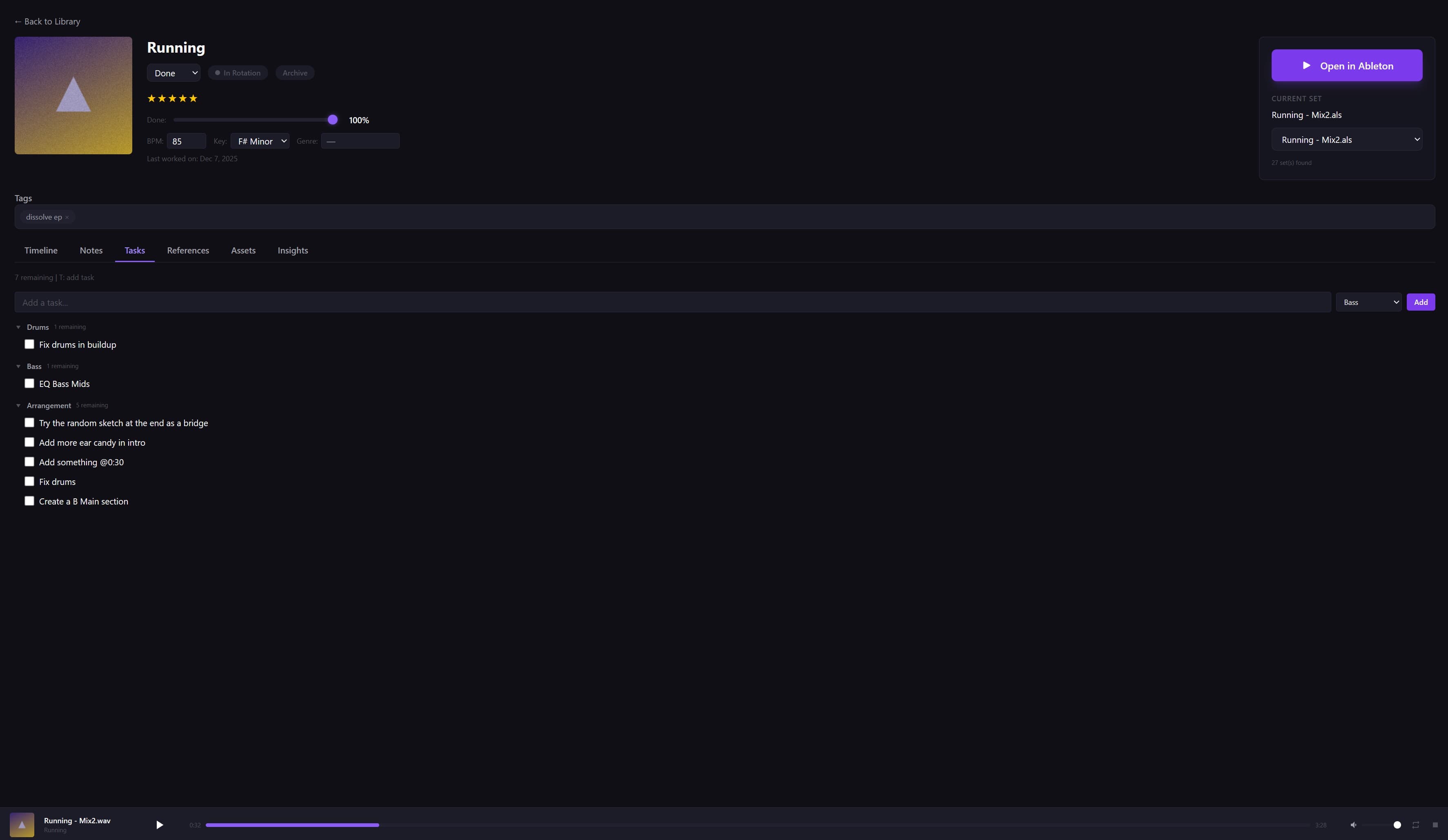
SetCrate scans your Ableton library, reads .als files to extract BPM, key, and plugins, catches missing samples before you open the DAW — and syncs everything to your phone.
Every producer’s daily
routing nightmare.
Everything your sessions need.
Six modules that snap together. Use what you need.
One home for every session.
Group your Live Sets into projects. Tag them by genre, mood, stage, client — whatever makes sense to you. Filter and find any session in seconds, not minutes.
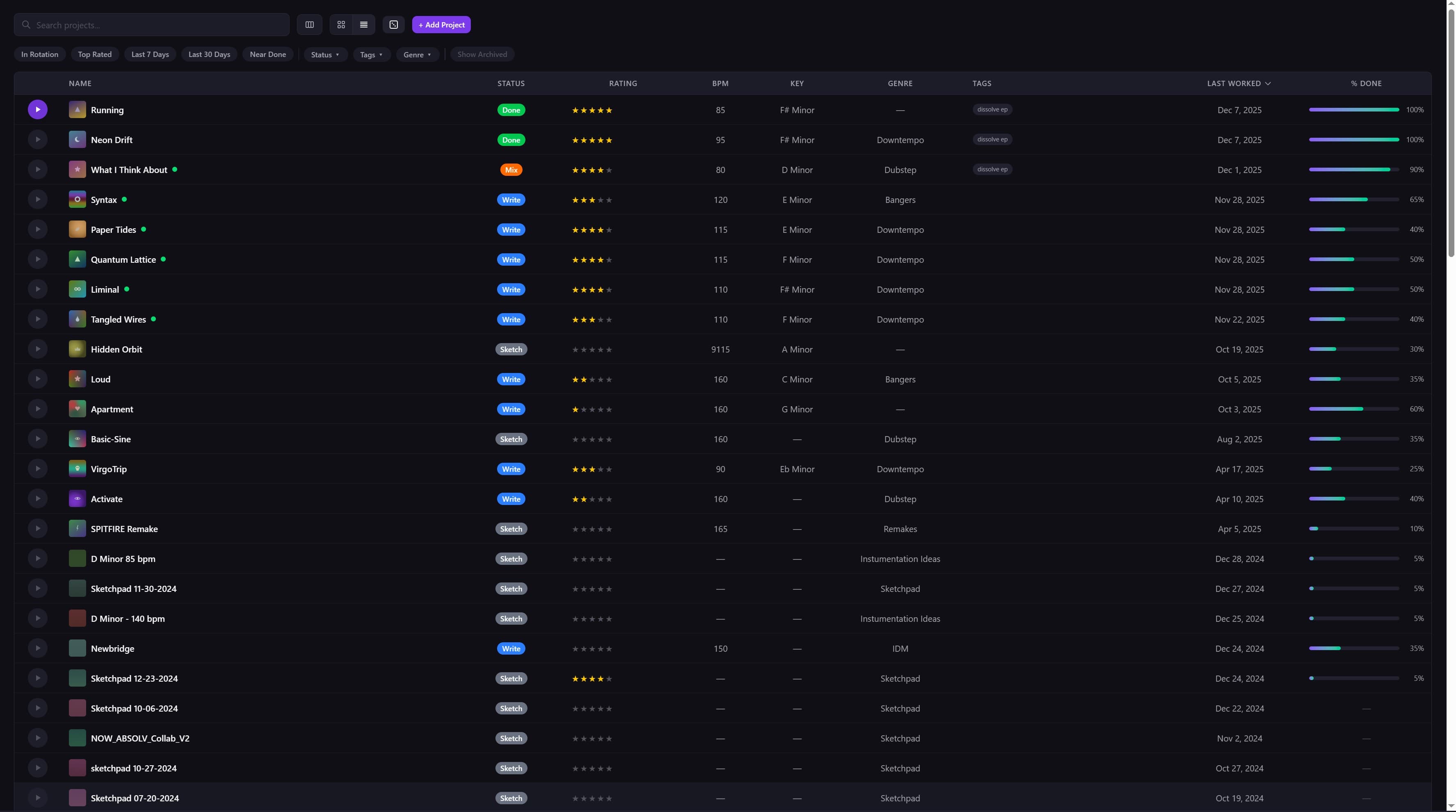
Know exactly where every session stands.
SetCrate manages all the .als files in your project, tracks your work sessions, and keeps a full history of your bounces. No more guessing which file is current or when you last worked on a track.
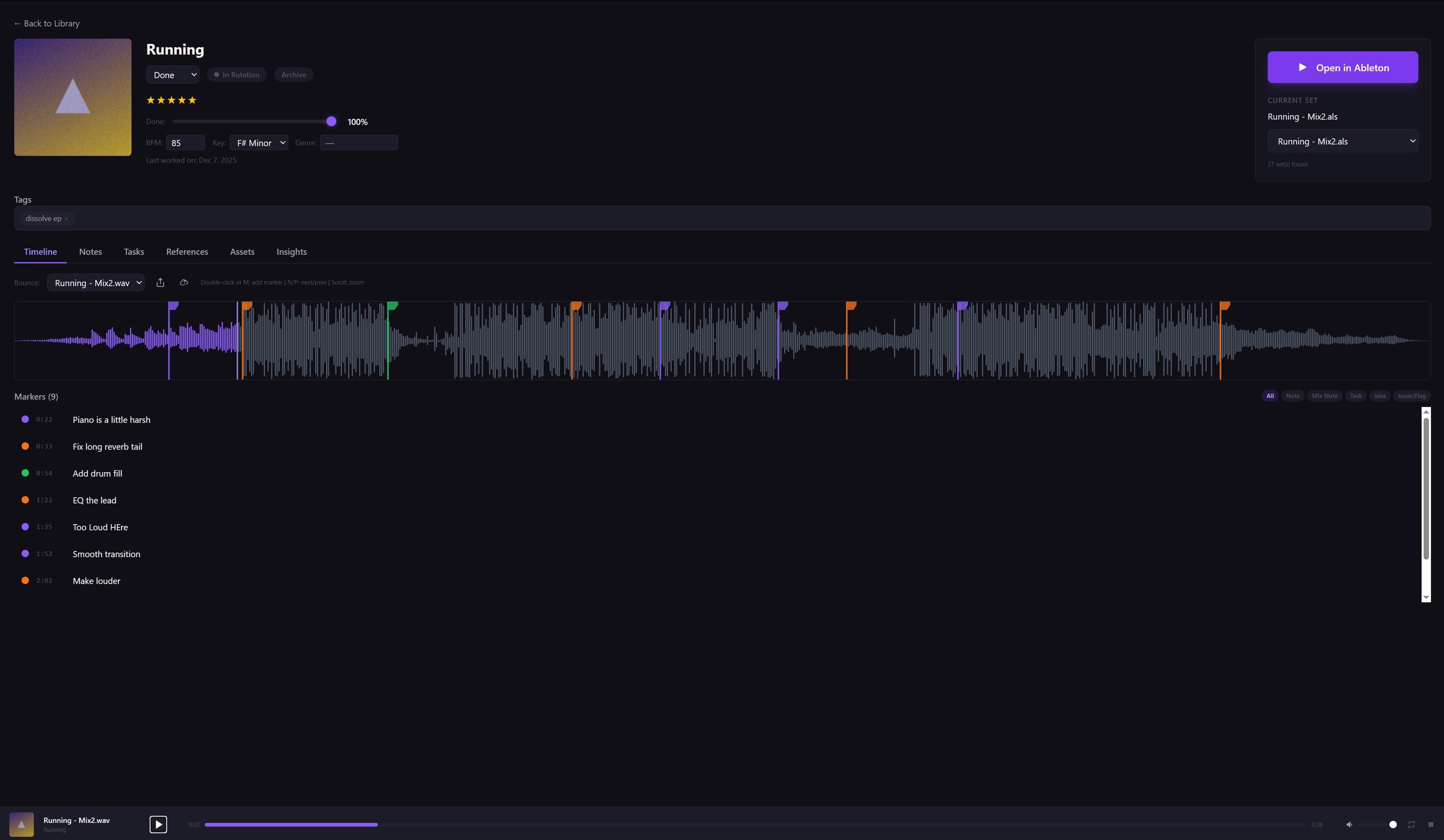
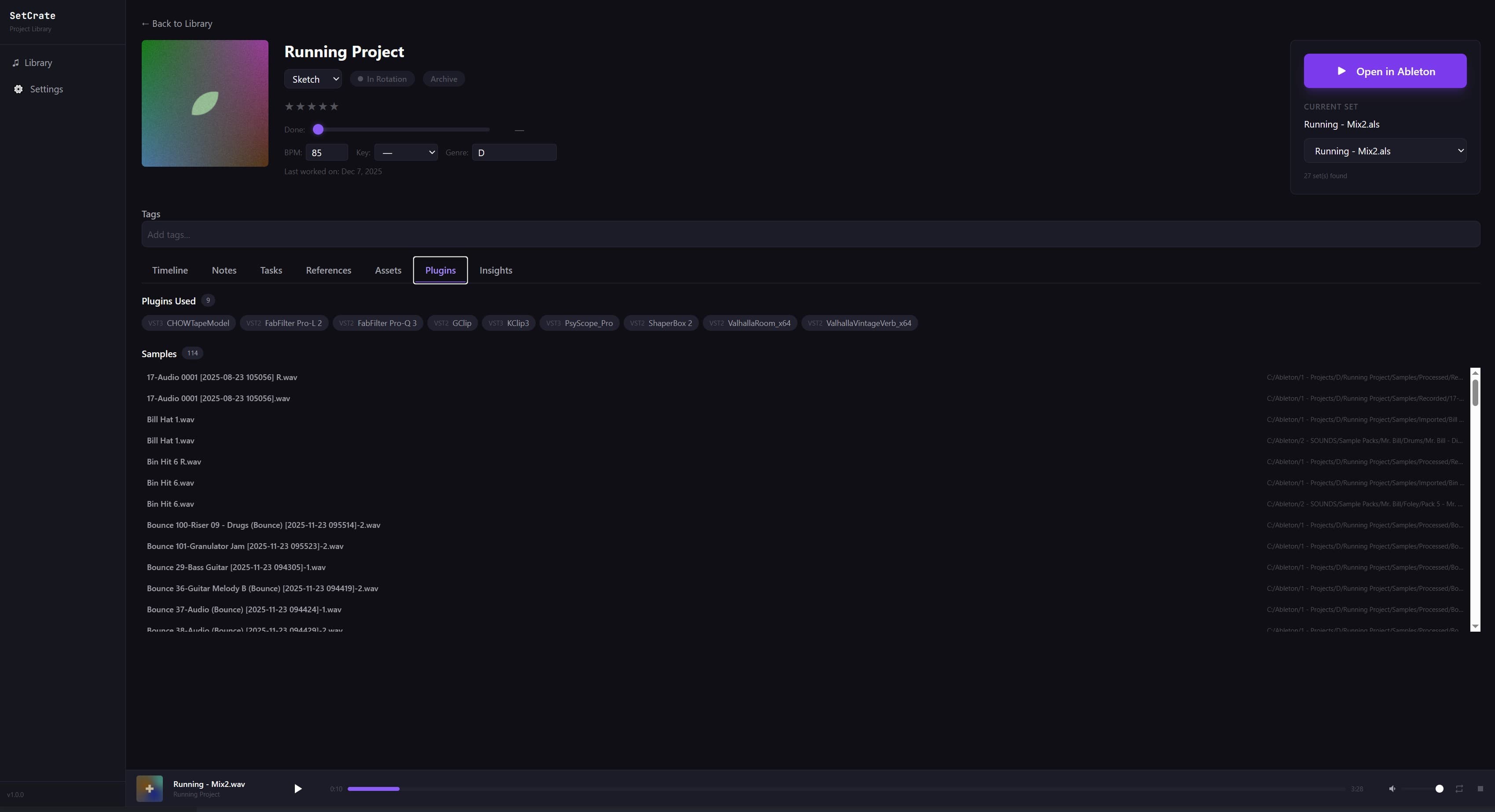
Know what’s inside before you open it.
SetCrate reads your .als files to pull out BPM, key, and every plugin you used — all searchable from your library. It also checks every sample path against your file system, so you’ll know about missing files before you open the DAW. No surprises.
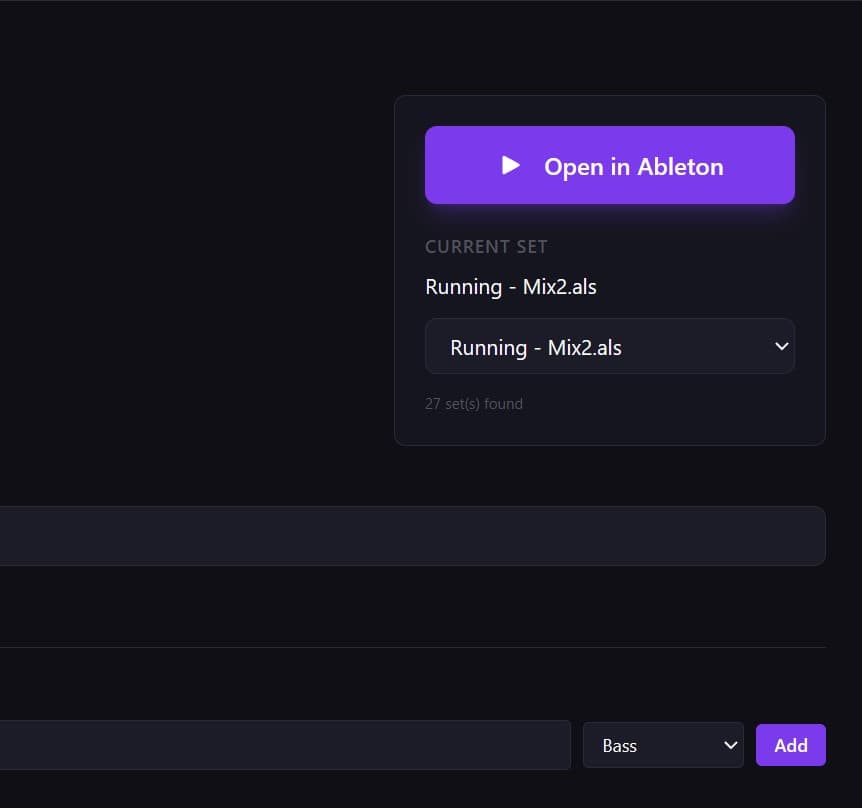
One click back into the DAW.
Found what you're looking for? Open any project directly in Ableton Live from SetCrate. No digging through folders, no hunting for the right .als file — just click and create.
Capture what the DAW can't.
Attach notes to any session — what you were going for, what needs work, which plugins to try next. Snap photos of your hardware setup, mic placement, or that napkin sketch of your arrangement. It's all right there when you come back.
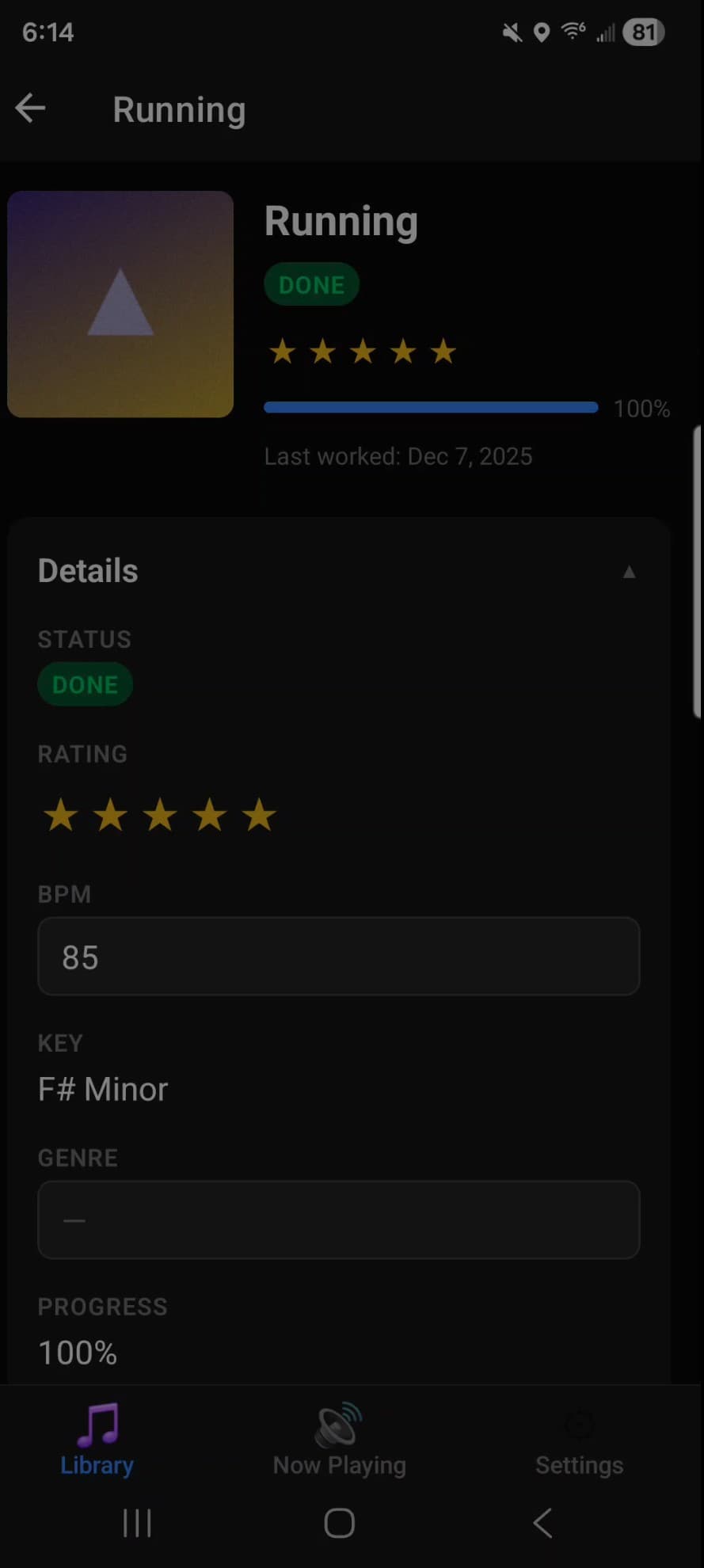
Your studio in your pocket.
The only Ableton project manager with a mobile companion app. Sync your full library — projects, metadata, bounces, notes — to your Android phone. Browse your library on the couch, listen to your latest bounces, and walk into your next session already knowing what you’re working on.
Search a sample
library. No signup.
This is a snippet of the real library view. Type, filter, sort — the index is local, the search is instant.
Stop surviving. Start organizing.
Simple pricing.
One-time desktop license. Optional cloud sync.
- ▸Sync projects to your phone
- ▸Access notes and session logs anywhere
- ▸Capture ideas on the go
- ▸Requires SetCrate Desktop